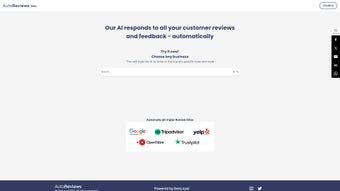

Download AutoReviews – AI‑Powered Review Management Tool for Businesses
Introduction
In today’s hyper‑connected marketplace, a single online review can shape a customer’s perception faster than any traditional advertising campaign. Restaurants, hotels, retail chains, and service providers all face the relentless task of monitoring multiple review platforms, crafting timely responses, and extracting actionable insights from a flood of feedback. Failing to keep up not only harms brand reputation but also impacts local SEO rankings, because search engines reward businesses that actively manage their digital footprints.
This is where AutoReviews steps in. Leveraging advanced natural‑language processing and machine‑learning algorithms, AutoReviews automates the entire review‑management lifecycle—from gathering comments across Yelp, Google My Business, TripAdvisor, OpenTable, and more, to generating brand‑consistent replies in seconds, and finally delivering real‑time sentiment analytics that drive continuous service improvement. The solution is built for both small independent cafés and sprawling hotel chains, offering a secure, cloud‑native environment that scales with your business needs while remaining easy to adopt.
By eliminating repetitive manual tasks, AutoReviews frees staff to focus on what truly matters: delivering exceptional experiences that turn first‑time visitors into loyal advocates.
Overview
AutoReviews is an AI‑driven platform designed to centralise and streamline the management of customer reviews for businesses of any size. The software learns a brand’s unique voice by analysing existing responses and then automatically drafts replies that sound authentic, maintaining the human touch while drastically cutting response time. Beyond automated replies, AutoReviews provides a comprehensive analytics suite that visualises sentiment trends, highlights recurring pain points, and surfaces opportunities for upselling or service refinement.
Security is baked into the core architecture: all data is encrypted in transit and at rest, GDPR‑compliant data‑handling procedures are enforced, and role‑based access controls ensure that only authorised personnel can edit or publish responses. Pricing is tiered, beginning with a free‑trial that unlocks all core features for 14 days, followed by scalable plans that accommodate solo entrepreneurs, multi‑location franchises, and enterprise‑level organisations. Because the solution is delivered as a web application, there is no need for complex installations or ongoing maintenance—updates are rolled out automatically, guaranteeing that users always benefit from the latest AI improvements and security patches.
In practice, businesses that adopt AutoReviews report up to a 40 % reduction in average response latency, a measurable lift in star‑rating averages, and enhanced visibility in local search results, all of which contribute to higher revenue and stronger brand loyalty.
Features, Installation & Compatibility
Core Feature Set
- Multi‑Platform Integration: One‑click connections to Yelp, Google My Business, TripAdvisor, OpenTable, and other major review sites via secure APIs, consolidating every comment into a single, searchable inbox.
- AI‑Generated Responses: Natural‑language generation that mirrors your brand’s tone, delivering context‑aware replies in under five seconds per review.
- Sentiment Analysis Dashboard: Real‑time visualisations of positive, neutral, and negative sentiment, with keyword clustering that surfaces emerging service trends.
- Customizable Templates & Rules Engine: Build response templates and conditional rules (e.g., “If rating ≤ 3 and contains ‘wait’, notify manager”) to automate routing and escalation.
- Continuous Learning Engine: The AI refines its language model after each published response, reducing errors and improving relevance over time.
- Compliance & Security Suite: End‑to‑end encryption, GDPR‑ready data residency, audit logs, and granular permission settings protect both customer data and corporate reputation.
- Scheduled Reporting & Export: Automated PDF and CSV reports delivered weekly or monthly, with the ability to export raw data for deeper analysis.
- Scalable Pricing & Free Trial: Tiered plans from solo‑owner to enterprise, plus a 14‑day unrestricted trial that lets you evaluate the platform risk‑free.
Installation Process
AutoReviews is a cloud‑native SaaS solution, so there is no traditional download or on‑premise setup required. To get started, visit autoreviews.io, create a new account, and verify your email address. The onboarding wizard then guides you through three essential steps: (1) linking each review source by entering API keys or authorising OAuth access; (2) configuring brand voice settings and selecting default response templates; and (3) defining user roles and notification preferences. The entire workflow typically takes less than ten minutes, and a library of video tutorials and a live‑chat support agent are available should you encounter any obstacles. Because the platform is hosted on a secure, globally distributed cloud infrastructure, updates and new AI models are pushed automatically, meaning you never need to manually install patches or worry about version drift.
Operating System Compatibility
AutoReviews runs entirely in the web browser, making it compatible with any modern operating system—including Windows 10/11, macOS Ventura, popular Linux distributions, as well as mobile environments such as Android 13 and iOS 17. The interface is optimised for Chrome, Edge, Firefox, and Safari, and progressive‑web‑app (PWA) capabilities allow users to “install” a shortcut on their desktop or mobile home screen for offline‑ready access to the inbox and pending notifications.
Pros & Cons
- Pros:
- Drastic reduction in manual response time.
- AI‑generated language that stays true to brand personality.
- All‑in‑one analytics that translate feedback into actionable strategy.
- Zero‑install, cloud‑first delivery with automatic updates.
- Robust security, GDPR compliance, and granular user permissions.
- Cons:
- Initial API credential collection can be time‑consuming for businesses with many platforms.
- Highly nuanced or legally sensitive reviews may still require human review.
- Premium tiers can be costly for very small operations with limited review volume.
Conclusion, FAQ & Call‑to‑Action
AutoReviews positions itself as a strategic ally for any business that depends on an online reputation to attract new customers. By automating the repetitive task of drafting and posting review responses while preserving a human, brand‑aligned tone, the platform frees staff to concentrate on delivering the experiences that generate those reviews in the first place. The continuous‑learning AI engine improves over time, ensuring that each subsequent reply becomes more accurate and context‑aware.
Coupled with a powerful sentiment‑analysis dashboard, AutoReviews turns raw feedback into a clear roadmap for service enhancements, staff training, and marketing messaging. Whether you run a single‑location coffee shop or a multi‑site hotel chain, the tool scales effortlessly, adapts to distinct brand voices across locations, and integrates with existing CRM or ticketing systems to close the feedback loop automatically. In short, AutoReviews not only safeguards your digital reputation but also drives measurable ROI through faster response times, higher star ratings, and improved local SEO performance.
Frequently Asked Questions
-
Can AutoReviews handle multiple locations with different brand tones?
Yes. The platform lets you create separate “brand profiles” for each location, each with its own tone settings, keyword preferences, and response templates.
-
Is there a free trial or freemium version?
AutoReviews offers a 14‑day free trial with full feature access. After the trial, you can continue on a paid plan or downgrade to a limited free tier that only includes manual response drafting.
-
How does the AI ensure compliance with GDPR and data privacy laws?
All customer data is encrypted in transit and at rest. AutoReviews stores data in EU‑based servers for GDPR compliance, and you can export or delete data on request.
-
What kind of support is available?
Support includes 24/7 live chat, email ticketing, a knowledge base, and weekly webinars. Enterprise customers receive a dedicated account manager.
-
Can I integrate AutoReviews with my existing CRM?
Yes. AutoReviews offers native integrations with Salesforce, HubSpot, and Zoho, as well as generic webhooks for custom workflows.
Ready to take control of your online reputation? Click the button below to start your free trial, experience instant response automation, and watch your star ratings climb.



.png)



